Select Version of EA Desktop:
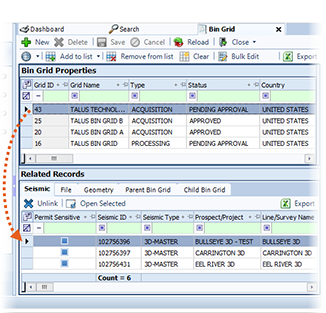
To link a bin grid to seismic:
(missing or bad snippet)Select the option to either add links and keep existing or to add links and replace existing.
The seismic displayed in the grid is available for linking to the bin grid. To add seismic to the grid, click the down arrow next to Add Seismic and select a search.
Enter the search criteria and click Search. The results display in the grid in the Link to Seismic window.
In the Link column of the grid, select the seismic to link.
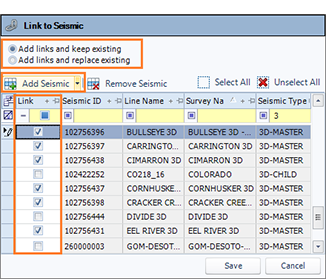
Click Save.
The seismic links to the bin grid and displays in the Seismic tab of the Related Records.